2026. 05. 07. / TECH · 4 min read
Serena vs Graphify — Which AI Code Search Tool Is Stronger?
Both are MCP-based code search tools, but their approaches are completely different. A breakdown of which to use in which situation
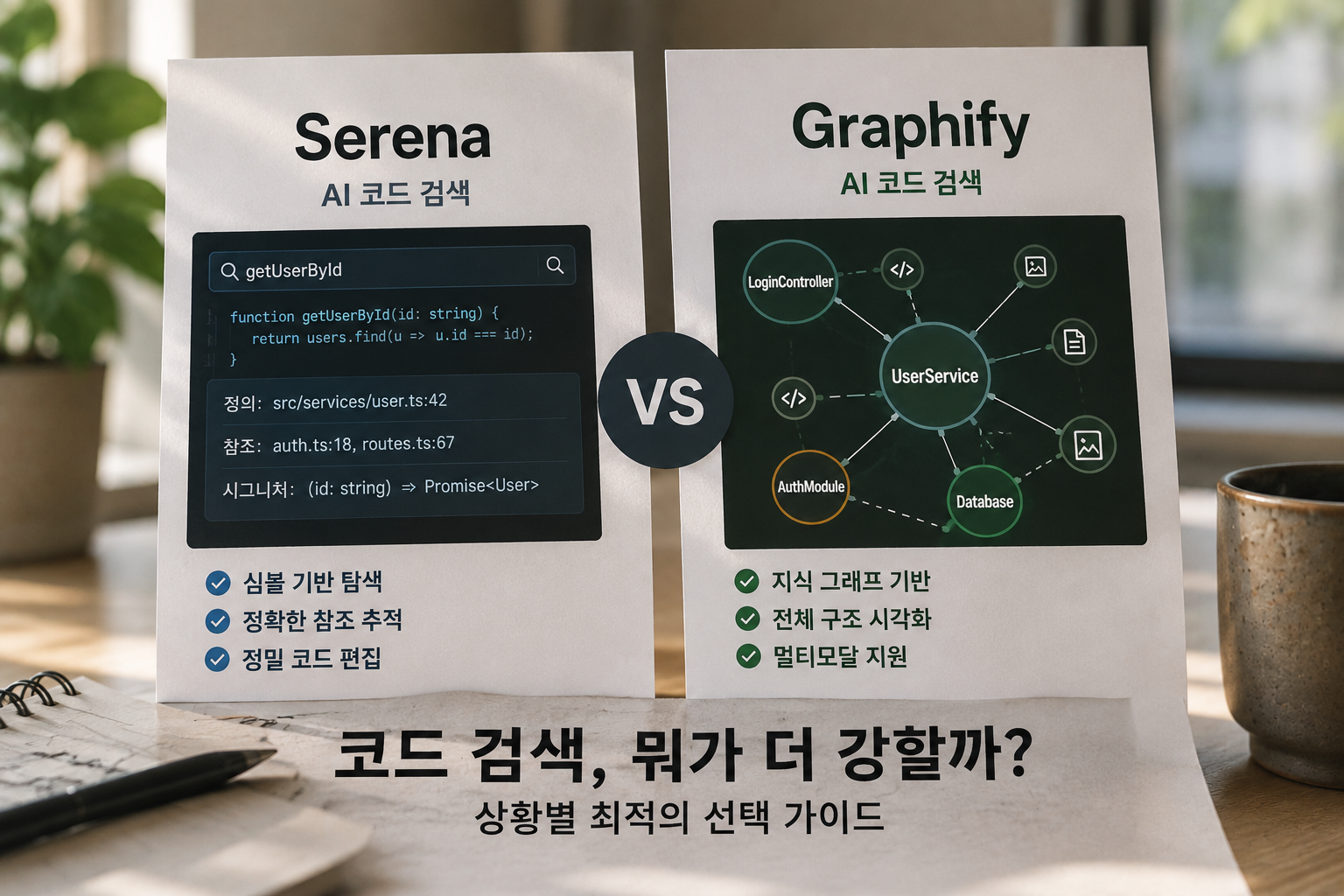
As more ways to connect codebases to AI assistants emerge, Serena and Graphify keep coming up.
Both are MCP-based, both claim to "help AI search code better" — but when you compare them, their approaches are completely different.
Serena
Serena is an MCP server-based code intelligence tool.
It connects the way IDEs understand code — LSP (Language Server Protocol) — directly to AI assistants.
The core is symbol-level navigation.
Instead of reading files line by line, it explores code based on symbols: functions, classes, types.
find_symbol("getUserById")
→ definition: src/services/user.ts:42
→ call sites: auth.ts:18, routes.ts:67
→ signature: (id: string) => Promise<User>
Supports over 40 languages — Python, TypeScript, Java, Rust, Go, C++ all included.
Key functions:
find_symbol— find symbol definitionfind_referencing_symbols— find everywhere this symbol is referencedinsert_after_symbol— precise editing based on symbols
One-line summary: A tool that lets AI navigate code like an IDE
Graphify
Graphify is a tool that converts an entire codebase into a knowledge graph.
Code, docs, SQL schemas, even images and videos — everything in the project is represented as nodes and edges.
Its mechanism is unique.
It doesn't use an LLM or vector DB. It first analyzes code structure with Tree-sitter AST parsing, then extracts relationships to build a graph.
Function A ──calls──→ Function B
Class C ──imports──→ Module D
Doc E ──describes──→ Class C
Relationships are tagged by source:
EXTRACTED— relationship found directly in codeINFERRED— probabilistically inferred (with confidence score)AMBIGUOUS— uncertain relationship
The /graphify command visualizes the project as an interactive HTML graph.
Install via MCP and you can use functions like:
query_graph("authentication-related functions")
get_neighbors("UserService")
shortest_path("LoginController", "Database")
One-line summary: A tool that maps your codebase so AI can grasp the whole structure
The Decisive Difference
| Serena | Graphify | |
|---|---|---|
| Navigation unit | Symbol (function · class · type) | Node · edge (relationship graph) |
| Analysis method | LSP (language server) | Tree-sitter AST + semantic extraction |
| Vector DB | None | None |
| Multimodal | Code only | Code · docs · images · video |
| Visualization | None | Interactive HTML graph |
| Privacy | Local | Local (no external API) |
| Install | MCP server | pip install 'graphifyy[mcp]' |
Where Each Wins in Search
When Serena Is Stronger
When you're wondering "where is this function used?"
If the goal is symbol reference tracking, Serena is much faster. One find_referencing_symbols call catches everywhere that symbol is referenced across the entire project.
Confirming impact before refactoring
When checking "what breaks" before changing a function signature. LSP-based, so it analyzes including type information per language.
Precise code editing
When asking AI to "modify only this method of this class." Editing based on symbols instead of line numbers is far more stable.
When Graphify Is Stronger
When you're wondering "what position does this feature hold in the whole system?"
Serena tracks the relationships of a specific symbol; Graphify maps the entire project structure.
Questions like "how is the auth module connected?" or "what are the dependencies between these microservices?" — Graphify is the answer.
When token efficiency matters
Graphify has published their numbers:
For a project with 52 files: Without Graphify: ~123,000 tokens With Graphify: ~1,700 tokens ~71.5x reduction
Because it navigates by graph topology, you don't need to dump entire file contents to the AI.
When non-code materials are mixed in
If your project has design docs, API spec PDFs, and ERD images alongside code, only Graphify can connect all of these into a single graph.
You Can Use Both
They're not competitors. They operate on different layers.
- Graphify: Understanding the overall structure → "what to look at"
- Serena: Navigating specific symbols → "exactly what to do there"
When working on a large codebase, split the steps:
- Use Graphify to understand related modules and relationships
- Use Serena to precisely navigate and edit those symbols
Decision Guide
| If you need this | Use |
|---|---|
| Tracking a specific function or class | Serena |
| Dependency analysis before refactoring | Serena |
| Improving AI code edit accuracy | Serena |
| Understanding the overall project structure | Graphify |
| Reducing token costs | Graphify |
| Unified search across code + docs + images | Graphify |
| Team onboarding, codebase visualization | Graphify |
The choice is simple.
"I don't know what to look at" → Start with Graphify "I know what to look at but not exactly what" → Serena